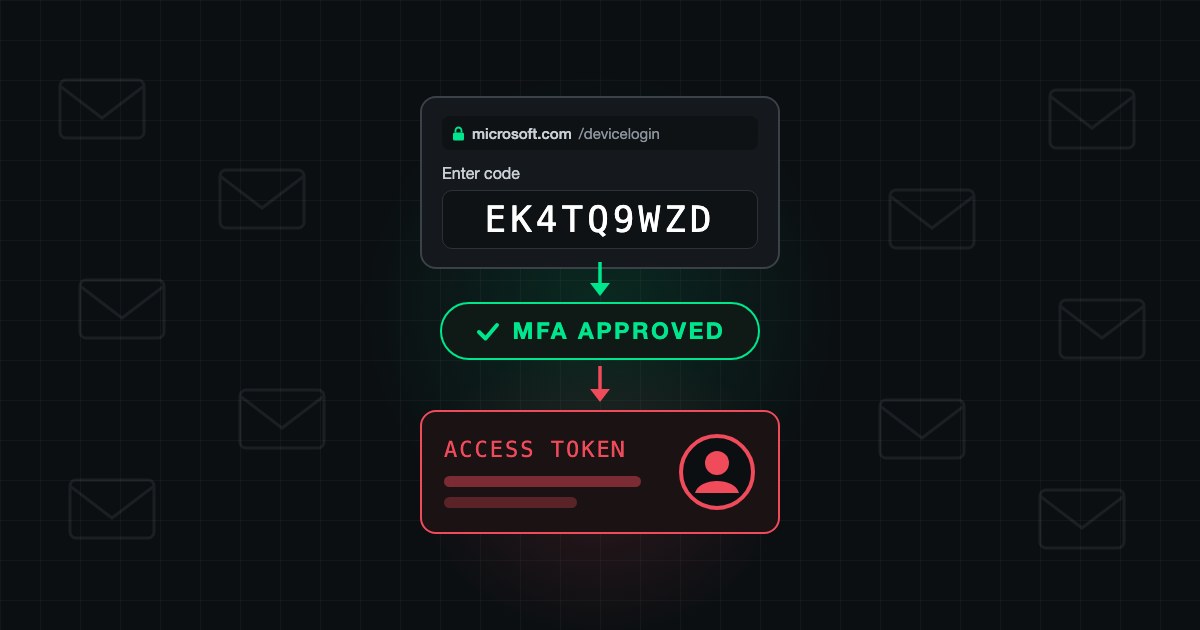
On 22 September 2026 Microsoft's Digital Crimes Unit took down EvilTokens, a phishing-as-a-service platform linked to more than 12,000 compromised inboxes at over 10,000 organizations since February. It never stole a password. Victims typed a short code into the genuine microsoft.com/devicelogin page, completed MFA themselves, and handed the attacker a valid session. An AI assistant then read the mailbox and wrote the fraud email. Device code flow is allowed by default in Entra ID. One Conditional Access policy that blocks it closes the door.
What was EvilTokens?
| Operator | Storm-2992 (Microsoft's name) |
| Active since | February 2026 |
| Victims | 12,000+ inboxes, 10,000+ organizations |
| Price | $1,500 kit, then $500 per month |
| Takedown | 22 September 2026: 50 sites seized, 150+ domains disabled |
| Arrests | Two men, 11 September 2026, Metropolitan Police |
How does device code phishing get past MFA?
Device code flow exists for devices without a keyboard, such as TVs and meeting-room consoles. The device shows a code, and you finish the sign-in on your phone or laptop. EvilTokens turned that around:
- The attacker's page asks Microsoft for a live device code.
- The victim gets a lure with a "Copy code" button and lands on the real microsoft.com/devicelogin.
- The victim pastes the code, signs in and approves MFA. Every page is genuine.
- A script polling in the background receives the tokens. The attacker is now signed in as the victim.
There is no fake login page to spot. MFA worked; it authenticated the attacker's session. This is the same family as token theft: once a token exists, the second factor is behind you.
What did the AI do?
According to Microsoft, the platform's AI assistant helped write targeted lures, filtered victims for finance, executive and administrative roles, and after compromise sifted through the mailbox to write a phishing message built from real email content. The fraud request arrives from a real colleague, inside the thread where the invoice was actually discussed. Reading a mailbox used to cost an attacker hours. Now it costs minutes, which is why one kit reached 10,000 organizations.
How do I block device code flow in Entra ID?
Create a Conditional Access policy (requires Entra ID P1):
- Users: All users. Exclude your break-glass accounts.
- Target resources: All resources.
- Conditions: Authentication flows, then Device code flow.
- Grant: Block access.
- Enable: Report-only for a week, then On.
If meeting-room devices genuinely need the flow, exclude only those resource accounts. To see who uses it today, filter the Entra sign-in logs by Authentication protocol: Device code, or run in Log Analytics:
SigninLogs
| where TimeGenerated > ago(30d)
| where AuthenticationProtocol == "deviceCode"
| summarize SignIns = count(), Apps = make_set(AppDisplayName) by UserPrincipalName
Already hit? The first hour
- Revoke sessions for the user. Microsoft notes that access tokens can stay valid for up to an hour after revocation, so disable the account temporarily as well.
- Check inbox rules for forwarding, deletion or move-to-RSS rules. Six signs of a compromised mailbox.
- Check registered devices for that user. Microsoft reports attackers registering devices to keep access.
- Call finance. Any payment change requested by email since the compromise is suspect until confirmed by phone.
Why is this an insurance question too?
The application asked "Do you enforce MFA on email?" and the answer was yes. EvilTokens victims had MFA. After a funds transfer fraud loss, the carrier looks at what was actually configured on the date of loss, not at the checkbox. That gap is why claims get denied.
How SecValley checks for it
SecValley's read-only Entra ID and Microsoft 365 scans check the controls this attack walks through, and every scan leaves a dated result:
- Device Code Flow Blocked (CA-016): passes only when an enabled Conditional Access policy targets the device code flow and blocks it. A policy left in report-only mode does not pass, and an enabled policy that targets the flow without blocking it is flagged as partial coverage so you can finish it.
- No Risky Inbox Rules and External Auto-Forwarding Blocked: the persistence and exfiltration step.
- Sign-in Risk Policy Active: the automated response Microsoft recommends for risky sign-ins.
See SecValley Security Posture: run a scan and "is device code flow open?" becomes a dated answer instead of a guess.
Frequently Asked Questions
What is device code phishing?
An attack that abuses the OAuth device code sign-in. The attacker starts a sign-in, sends the code to the victim, and receives the tokens when the victim completes the sign-in on Microsoft's real page.
Does MFA stop device code phishing?
No. The victim completes MFA themselves on a genuine Microsoft page. Blocking the device code flow with Conditional Access is what stops it.
Will blocking device code flow break anything?
Only sign-ins that use it: some meeting-room devices, shared screens and command-line tools. Run the policy in report-only mode first and exclude only the accounts that need it.
Is the threat gone after the takedown?
The EvilTokens infrastructure is, the technique is not. Microsoft has tracked device code phishing by other groups, including Storm-2372, since 2024.
Which license do I need to block device code flow?
Conditional Access requires Microsoft Entra ID P1, included in Microsoft 365 Business Premium, E3 and E5.
How does SecValley detect an open device code flow?
By reading your Conditional Access policies on every scan and passing only when an enabled policy targets device code flow with a block grant. A report-only policy does not count, and an enabled policy that targets the flow without blocking is shown as partial coverage.