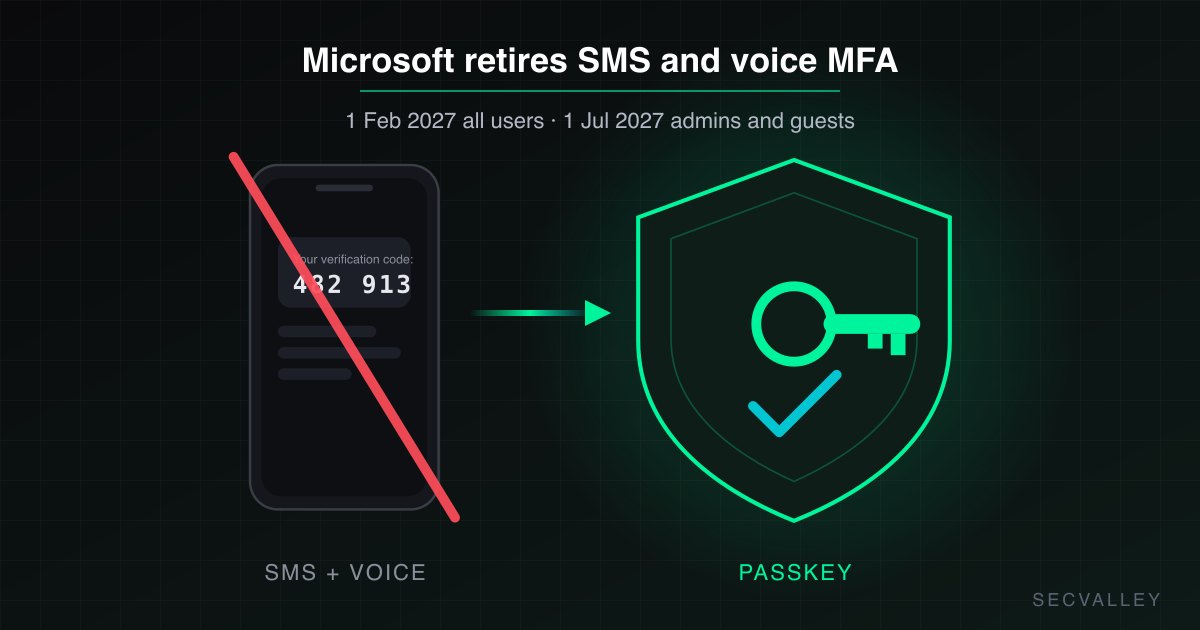
Microsoft is retiring its own delivery of text message and phone call authentication for Entra ID. From 1 February 2027 the methods stop working for regular users. Global Administrators and external users follow on 1 July 2027. The retirement covers multifactor authentication and self-service password reset alike, and there is no opt-out. A user whose only registered method is a phone will be blocked at sign-in until they enrol something else. The fix is to find those users now and move them to a passkey or Microsoft Authenticator.
Nothing in your tenant changes on the cutover day. What changes is who can log in.
What exactly is Microsoft retiring?
Microsoft-delivered SMS one-time codes and voice call verification, for every Entra ID tenant, on a fixed schedule:
| Who | Cutover date |
|---|---|
| All regular users | 1 February 2027 |
| Global Administrators and external (guest) users | 1 July 2027 |
After the date that applies to them, a phone-only user is met with a passkey registration prompt that blocks the sign-in until a new method is registered. A helpdesk that discovers the dependency that morning is handling a lockout wave, not a migration.
Who is affected?
Only users whose registered methods are exclusively SMS or voice. A user who also has any of the following keeps a way in:
- Microsoft Authenticator (push with number matching, or a passkey in the app)
- FIDO2 security key or device-bound passkey
- Software or hardware one-time passcode (TOTP)
- Windows Hello for Business
- Temporary Access Pass
The dangerous population is usually invisible: frontline staff who registered a mobile number on day one and never came back, contractors, guest users invited from a partner tenant, and the one admin account created in 2019 that still has a phone number as its only proof. Guest accounts deserve their own pass, because nobody owns them and the later deadline makes them easy to forget.
How do I find phone-only users in Entra ID?
In the Entra admin center, Protection, then Authentication methods, then Activity shows registration by method. For a list you can act on, read the user registration details report with Microsoft Graph PowerShell:
Get-MgReportAuthenticationMethodUserRegistrationDetail -All |
  Where-Object { $_.MethodsRegistered -and -not ($_.MethodsRegistered |
    Where-Object { $_ -notmatch 'Phone' }) } |
  Select-Object UserPrincipalName, IsAdmin, MethodsRegistered
Keep two lists, because there are two deadlines. Do not let the extra five months for admins and guests turn into "later".
How do I migrate them?
- Register a surviving method, strongest first. A passkey (FIDO2 key or passkey in Authenticator) is phishing resistant and is what Microsoft prompts for after the cutover. Authenticator push with number matching is next. A one-time passcode app covers the cases where a phone cannot be used.
- Run a registration campaign. Protection, Authentication methods, Registration campaign, targeted at the exported users, snooze set to 0 days.
- Disable the method in policy once the count reaches zero, so new users cannot register phone-only and re-create the problem.
- Re-check monthly. Registration drifts. New hires and new guests arrive every week.
While you are there, this is the moment to close the wider gap. SMS was never a strong factor. It is the method most exposed to SIM swapping and to the token theft that walks past MFA regardless of which second factor was used. Moving to passkeys is not a compliance chore, it is the single upgrade that changes the attacker's economics.
Why a one-time export is not enough
The export answers the question today. The auditor, the insurer and the helpdesk on 2 February 2027 will ask a different question: did anything keep watching?
SecValley's Entra ID scanner reads the authentication methods registration report on every scan and reports Users Dependent on SMS or Voice Only as a control (AM-013), separated by the two deadlines. It never treats an authentication method it does not recognise as safe; an unknown value is surfaced for review, not hidden. Every scan produces a dated count you can show as evidence, and the number should fall to zero long before Microsoft makes the choice for you.
Run a scan, read the count, and start the campaign while it is still a number and not an incident.
Frequently Asked Questions
Does the retirement affect self-service password reset?
Yes. SMS and voice stop working for both multifactor authentication and self-service password reset on the same dates.
Can we opt out or request an extension?
No. Microsoft has not provided an opt-out for the enforcement. The only path is to register another method before the date that applies to each user.
Why do Global Administrators and guests get a later date?
Microsoft gives the two highest-risk groups until 1 July 2027 so that admin lockouts and cross-tenant guests can be handled deliberately. Treat it as a second project with its own list, not as slack on the first one.
Does a third-party MFA provider change anything?
Users signing in through a federated or third-party MFA provider follow that provider's rules. Any method registered in Entra ID as SMS or voice still becomes unusable, so check the Entra registration report even if most sign-ins go elsewhere.
What is the safest replacement for SMS?
A passkey. It is phishing resistant, cannot be intercepted by SIM swapping, and is the method Microsoft prompts for after the cutover. Microsoft Authenticator with number matching is the pragmatic second choice.
How does SecValley detect phone-only users?
By reading each user's registered methods from Microsoft's authentication methods registration report and counting only users with no method other than SMS or voice, with a separate count for Global Administrators and external users. A method the scanner does not recognise is reported for review, never assumed safe.