
A developer on your team gets an infostealer on their laptop. Their GitHub token gets stolen with everything else. Later, that token pushes a new branch to every repository it can write to. Each branch has one small workflow file. The workflow prints your secrets into its own log. The attacker downloads the log and deletes the run. Nobody opened a pull request, and nothing changed on your main branch.
This is happening now. Wiz Research has tracked a campaign it calls Gheist since mid-September. It has planted more than 13,500 branches from more than 850 accounts. A separate campaign, GhostAction, pushed a similar workflow to more than 340 repositories in one day this month.
How Gheist works
According to Wiz, the tool does four things in each repository:
- It creates a branch named
ci-sync-plus six random characters. - It commits
.github/workflows/sync-check.ymlwith the messageci: sync config. The commit shows the token's owner as the author. - The push starts the workflow. It prints all environment variables and secrets to the log, base32 encoded.
- The tool downloads the log through the GitHub API and deletes the run.
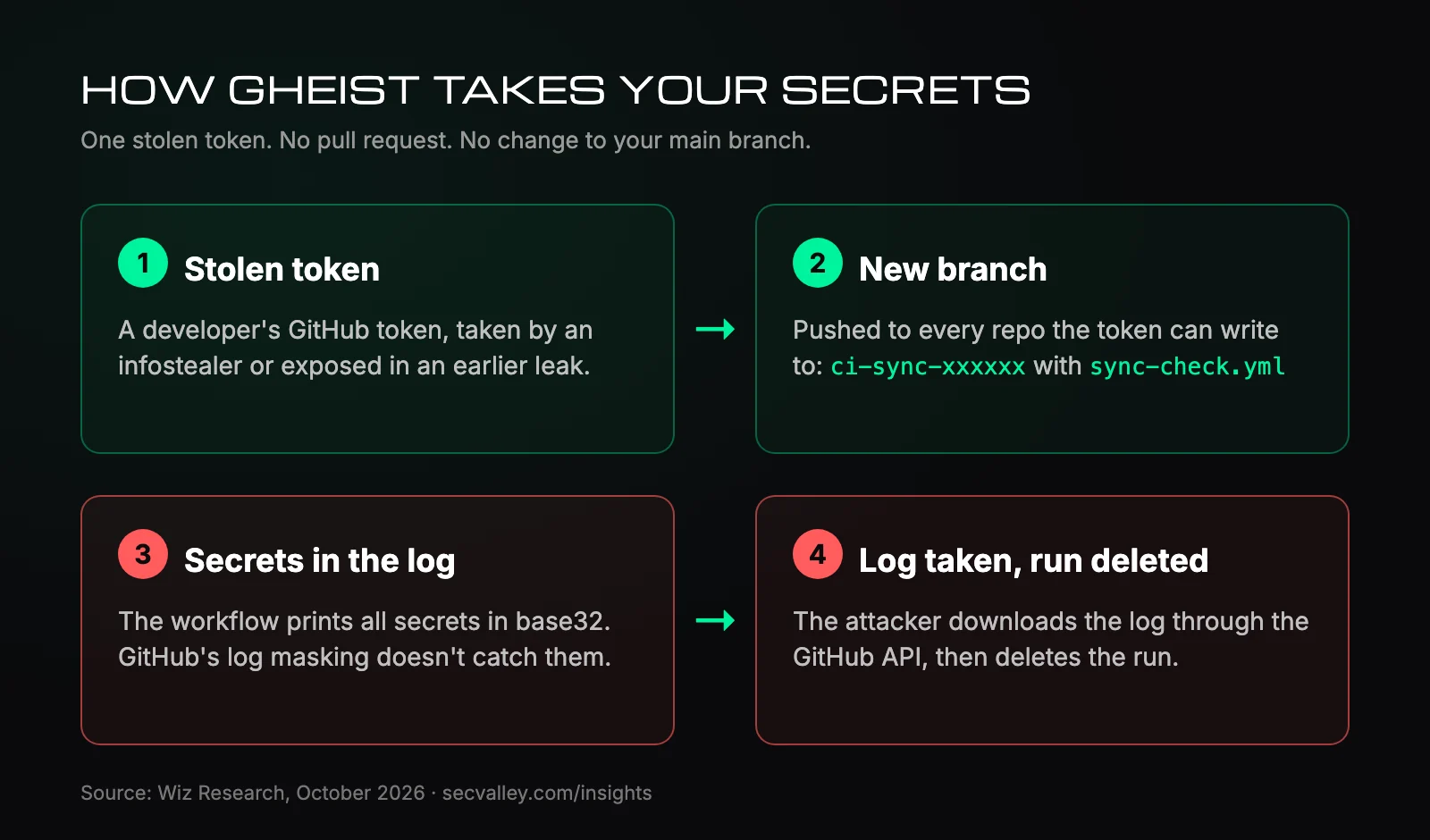
GitHub hides a secret in logs only when it appears exactly as stored. Base32 changes the text, so the secret prints in full. Setting permissions: {} doesn't help either. It limits the job's GITHUB_TOKEN, not your secrets.
If the repository has deployment environments, the workflow runs for each one, so those secrets leak too. Everything leaves through GitHub's own API, so there is no attacker domain to block.
On 19 October one version added a job for self-hosted runners. On the runner it looks for tokens, private keys, .env files and Terraform state, and asks the cloud metadata service for credentials.
GitHub's new check skips private repos
Since 28 July, GitHub holds suspicious workflow runs in public repositories until someone approves them. Every public Gheist run Wiz found was stuck waiting.
Private repositories and GitHub Enterprise Server don't get that hold. Wiz saw the runs complete there. In some companies the attacker moved through several users' tokens in minutes. Hours later, the company's own cloud credentials were used to list secrets in AWS Secrets Manager.
GhostAction
Wiz says GhostAction is a different group with the same idea. The Hacker News reports workflows named security-audit.yml or github_actions_security.yml. They scan the full git history, so a key you deleted years ago still counts. Results go over plain HTTP to 193.32.204[.]199.
Both campaigns started with tokens taken by infostealers or exposed in earlier supply-chain attacks.
Check if you were hit
Look for ci-sync- branches across your organization:
ORG=your-org
gh repo list "$ORG" --limit 1000 --json nameWithOwner -q '.[].nameWithOwner' |
while read -r repo; do
  gh api "repos/$repo/git/matching-refs/heads/ci-sync-" -q '.[].ref' 2>/dev/null |
  sed "s|^|$repo |"
done
An empty result isn't proof. The attacker may have deleted the branch already.
Look for the GhostAction files on every branch of a clone. Go back to 31 August:
git fetch --all --prune
git log --all --oneline -- .github/workflows/security-audit.yml .github/workflows/github_actions_security.yml
If your workflows sign in to AWS with OIDC, the branch name shows up in CloudTrail:
aws cloudtrail lookup-events \
  --lookup-attributes AttributeKey=EventName,AttributeValue=AssumeRoleWithWebIdentity \
  --query 'Events[].CloudTrailEvent' --output text |
  grep -o 'repo:[^"]*ci-sync-[^"]*' | sort -u
Any hit means an attacker branch got AWS credentials. Run it in each region your workflows use.
On self-hosted runners, look for the files .gdmp_pat, .gdmp_patg and .gdmp_sweep.
If you find something
Deleting the branch doesn't fix it. The attacker already has the log.
- Rotate every secret the repository could see: repository, organization and environment secrets.
- Revoke the token. Clean the owner's laptop first, or the new token gets stolen too.
- Treat any self-hosted runner that ran the branch as compromised.
Make the next stolen token less useful
- Keep production secrets in environments with required reviewers, and allow only the branches you deploy from.
- Tie AWS roles and Azure federated credentials to those branches or environments, not to any branch in the repository.
- Use GitHub Apps or fine-grained tokens with an expiry instead of long-lived personal tokens.
- Make self-hosted runners single-use.
- Share organization secrets only with the repositories that need them.
- On GitHub Enterprise Cloud, turn on the IP allow list.
SecValley's GitHub scan checks four of these: organization secrets open to all repositories, self-hosted runners that aren't single-use, fine-grained tokens with no expiry or access to every repository, and a missing IP allow list. It reads secret names, never their values.
Frequently Asked Questions
Is deleting the branch enough?
No. The secrets were in the log, and the attacker downloaded it before deleting the run. Rotate them.
Does GitHub's approval hold stop this?
Only in public repositories. Private repositories and GitHub Enterprise Server aren't covered.
Are Gheist and GhostAction the same?
No. Wiz says they are separate. Gheist uses sync-check.yml and sends data out through the GitHub API. GhostAction uses security-audit.yml or github_actions_security.yml and sends data to a fixed IP address.