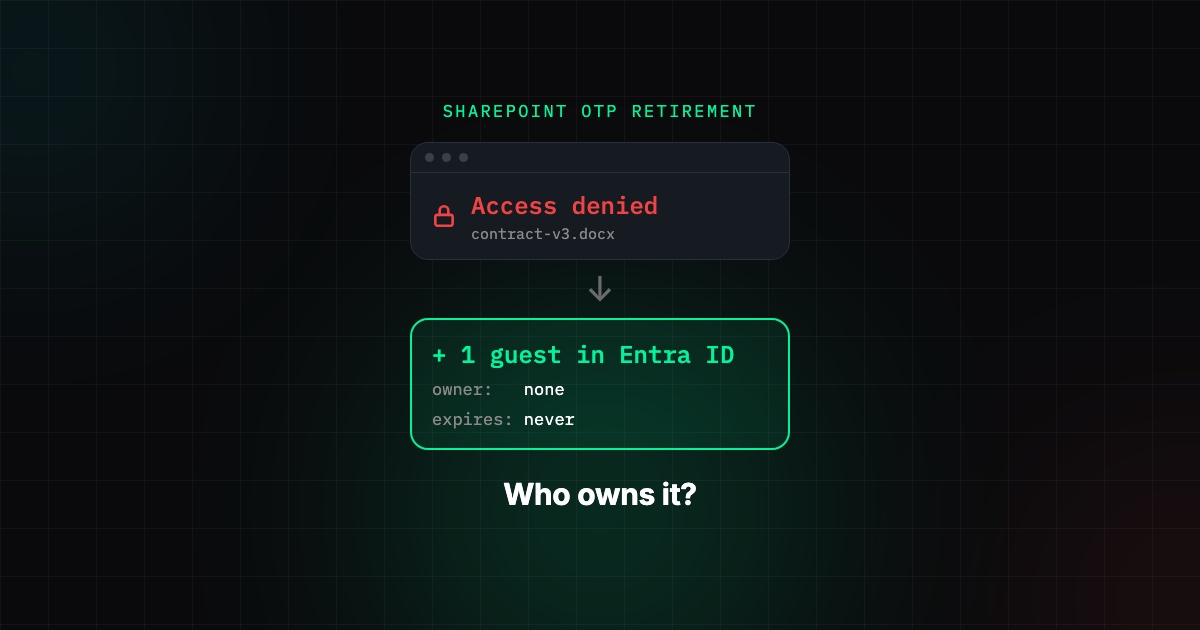
Microsoft is retiring SharePoint Online one-time passcode (OTP) authentication in commercial tenants. Retirement began in mid-October 2026 and is expected to finish by the end of November 2026. Once it reaches your tenant, an external person who opens an old Specific people link and has no Microsoft Entra B2B guest account in your directory gets access denied. Access comes back when a guest account exists for that email address. That fix is the part worth watching: every restored collaborator becomes a guest identity in Entra ID, and most tenants have no owner, expiry or review for those.
This applies to commercial tenants. GCC, GCC High and DoD follow a separate timeline.
What is changing, and when?
| Date | What happens |
|---|---|
| May to July 2026 | Microsoft turned on SharePoint and OneDrive integration with Entra B2B for all new external sharing in commercial tenants. It can no longer be disabled. |
| Mid-October 2026 | Retirement of SharePoint OTP sign-in begins. |
| End of November 2026 | Retirement expected to be complete. |
Two details matter:
- The
EnableAzureADB2BIntegrationsetting inSet-SPOTenantno longer controls sharing behavior in commercial tenants. A script or checklist that still reads it is reporting a setting that no longer decides anything. - Entra B2B email one-time passcode is not being retired. Guests without a work, school or Microsoft account still sign in with a code, but through Entra, as a guest object in your directory.
Sources: Microsoft Learn, Entra B2B integration for SharePoint and OneDrive (updated 7 October 2026) and message center notice MC1243549 (updated 1 October 2026).
Who loses access?
Only one group: external people who were shared content through a Specific people link under the old SharePoint OTP flow and who have no matching Entra B2B guest account. People who already have a guest account keep access with no change.
In practice that is the supplier, auditor, lawyer or customer contact who received a link a year or two ago and never had to accept an invitation. The first sign is usually a support ticket: "the link you sent says access denied."
Microsoft states there are no exceptions and the change cannot be scoped to individual sites.
How does access come back?
Microsoft lists two ways:
- An administrator creates an Entra B2B guest account using the same email address the original link was shared with.
- Anyone with sharing permission shares or reshares at least one file, folder or site with that person. The share creates the guest account, and access to everything previously shared with them returns. You do not need to reshare each item.
You can also do it ahead of time: create the guest accounts before retirement reaches your tenant, and those users never see the error.
Why this is a security decision, not just a helpdesk task
Option 2 means any employee who can share can now create a directory identity by sending one file. Under business pressure ("the client cannot open the contract") that is exactly what will happen, at scale, in November.
Each of those guests is a real account in Entra ID. That is better than the old SharePoint-only identity, because guests are now subject to Conditional Access and multifactor authentication. But it only helps if the guest settings around them are deliberate:
- Who can invite. Microsoft's notice tells admins to make sure Entra allows guest invitations "for the appropriate users." If invitations are open to every member, the November cleanup becomes a guest sprawl event. If they are restricted to admins only, user reshares will not create guests and the tickets land on IT. Decide which, before the tickets arrive.
- Conditional Access for guests. A guest that signs in with an emailed code and no MFA requirement is a weak door into your files. Give guests their own Conditional Access policy.
- What a guest can see. By default a guest can read more of your directory than most people expect. Restrict guest access to their own directory object.
- Expiry and review. SharePoint guest access expiration removes site access after a set number of days, but the guest account stays in Entra. Accounts that have not signed in for 60 days or more need an owner to confirm they are still needed, or they get removed.
- Resharing. Make sure guests cannot reshare items they do not own, otherwise one guest can pull in others.
We wrote about the long-term cost of unmanaged guests in Entra guest account sprawl. This retirement can add months of that sprawl in a few weeks.
How do I find who is affected before they call?
Microsoft points to three sources:
- Purview audit log sharing events, to see who was shared what and with which email addresses. See Use sharing auditing in the audit log.
- Site sharing reports for file and folder sharing on a given site.
- Microsoft Graph Data Connect site permissions datasets, for a tenant-wide view if you already use it.
Compare the external email addresses you find against the guest users in Entra ID. Addresses with no guest account are the people who will hit access denied. Create guests for the ones with a current business need. The rest are links that should have expired anyway.
A short checklist for this month
- Confirm Entra email one-time passcode is not disabled in External ID settings, or guests without a Microsoft account cannot sign in at all.
- Decide who may invite guests, and set it in Entra external collaboration settings.
- Put a Conditional Access policy on guests that requires MFA.
- Restrict guest directory access.
- Pull the sharing audit data, match it to existing guests, and pre-create accounts only for active collaborators.
- Set guest access expiration in SharePoint and a stale-guest review in Entra.
- Tell users that some old links will show access denied, and who to ask.
How SecValley helps
SecValley's Microsoft 365 and Entra ID scanners check the settings this retirement depends on, on every scan: who can invite guests, guest directory access, whether a Conditional Access policy targets guests, SharePoint and OneDrive external sharing levels, guest resharing, guest access expiration, domain restrictions, the share of guests among all users, and guests that have not signed in for 60 days or more. Each result is a dated finding, so a guest population that doubles in November shows up as a change you can see, not a surprise in next year's access review.
Frequently Asked Questions
When does SharePoint OTP stop working?
Microsoft began retiring SharePoint Online OTP authentication for commercial tenants in mid-October 2026 and expects to finish by the end of November 2026. The exact day depends on when the rollout reaches your tenant.
Is Entra B2B email one-time passcode also being retired?
No. Only the SharePoint-specific OTP flow is retired. Entra B2B email one-time passcode remains supported and is the fallback for guests without a work, school or Microsoft account.
Can I turn Entra B2B integration off to keep the old behavior?
No. In commercial tenants the integration is on for new external sharing and cannot be disabled, and the EnableAzureADB2BIntegration setting no longer controls it.
Do I have to reshare every file with every external user?
No. Creating a matching guest account, or sharing a single file, folder or site with the person, restores access to everything previously shared with them through Specific people links.
Can I exempt one site?
No. Microsoft states the change applies at the tenant level and no exceptions are made.
Does this affect Anyone links?
The retirement concerns Specific people links that relied on SharePoint OTP sign-in. Anyone links do not require sign-in. Whether they should exist at all is a separate question for your sharing policy.